How Much Do Virtual Receptionist Services Cost?
If you run a home service business in Central Texas, virtual receptionist pricing comes down to three things: how many calls you need answered, what you need done with each call, and whether you pay per minute or a flat monthly rate. Traditional national answering services usually bill by the minute, which means your bill climbs every time the phone rings. AI receptionists like ours typically charge a flat monthly rate, so a busy August with the AC calls pouring in costs the same as a quiet February. By the end of this page you will know exactly what drives the price and how to get a real number for your business, not a guess.
What Drives the Cost of Virtual Receptionist Pricing
Five factors decide what you will actually pay. Here is each one, which way it pushes the price, and how to figure out where you land.
Call volume
The single biggest driver. A solo plumber getting a dozen calls a day and a three-crew HVAC company getting sixty are buying different amounts of service. Per-minute providers charge you for every minute of every call, so volume hits your bill directly. Flat-rate AI plans absorb volume better, but higher tiers still exist for heavier call loads. Check your phone records for the last three months. If you do not know your monthly call count, your carrier dashboard will show it in five minutes.
Human agents versus an AI receptionist
This is the fork in the road. Live human answering services pay wages, and those wages show up in your bill, especially for 24/7 coverage. Nights, weekends, and holidays cost a human service more to staff, and that cost lands on you. An AI receptionist answers at 2 a.m. on a Sunday for the same cost as 2 p.m. on a Tuesday. If most of your missed calls happen after-hours, when you are on site or asleep, the AI model usually wins on cost by a wide margin.
What happens after "hello"
Answering the phone is the floor, not the ceiling. The price moves with what you need done next: lead capture and qualification, appointment booking, live transfer for urgent calls, or a burst pipe at midnight that needs real triage. Basic message-taking sits at the bottom of the price scale. Full lead qualification with booking link delivery and emergency escalation sits higher. Write down what you actually need a caller to walk away with. If "they booked a slot on my calendar" is the answer, price for booking, not message-taking.
Bilingual coverage
In Central Texas, Spanish-speaking callers are not an edge case; they are your customers. Many national services charge extra for bilingual agents, or route Spanish calls to a smaller, pricier team. That is a line item worth asking about directly. On our plans, English and Spanish come standard on every tier, so this factor pushes our price neither up nor down. With other providers, it can be a meaningful add-on.
Integrations and reporting
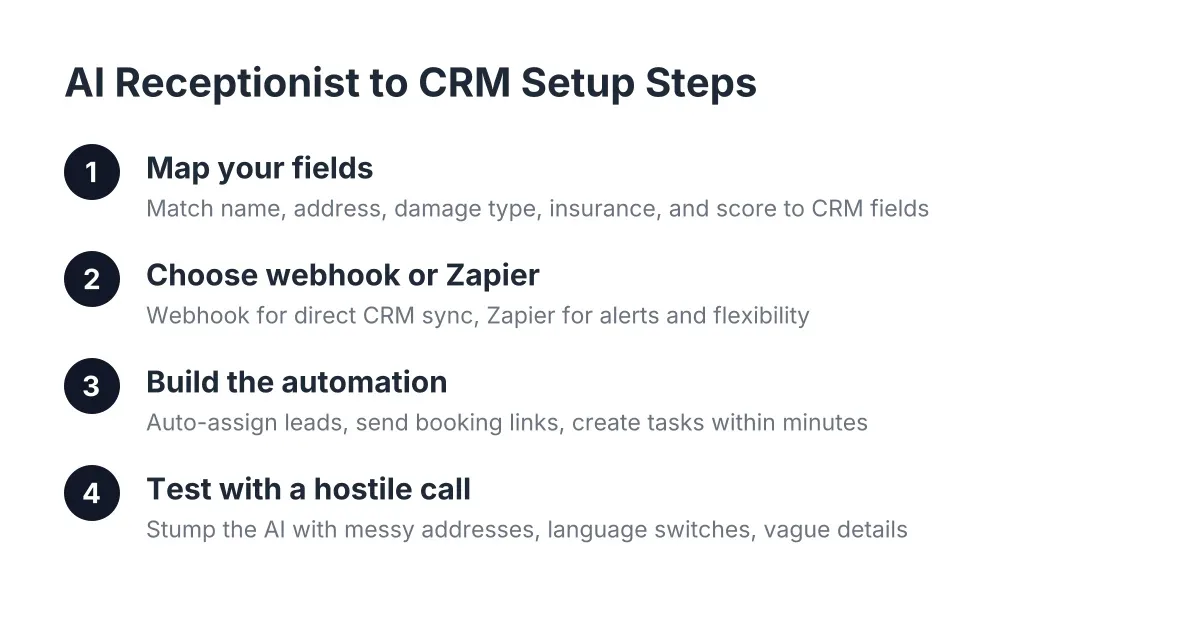
If you want captured leads pushed into HubSpot, Salesforce, Zoho, or a Zapier workflow, some providers price that as a premium feature. Same for call scoring, summaries, and regular reporting. If you run your business from a spreadsheet, you may not need any of it. If you live in a CRM, ask whether sync is included or billed separately. Providers that bundle webhooks, CRM sync, and a weekly report into the base plan save you the add-on stack that inflates other quotes.
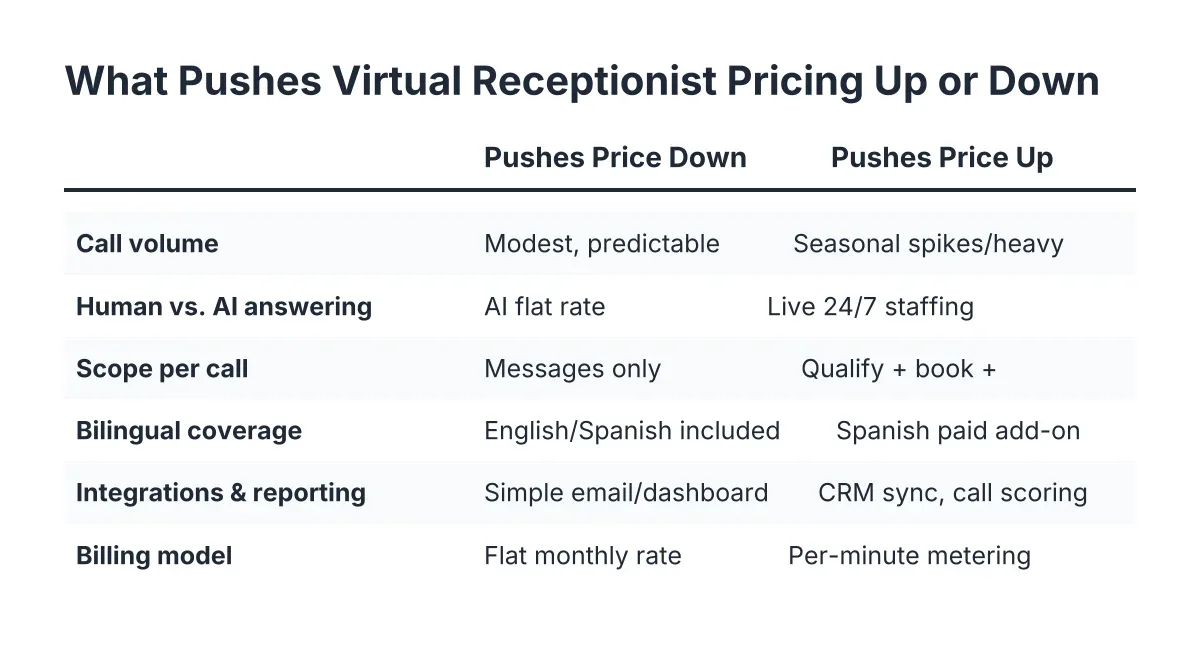
Cost Factor Table
| Factor | Pushes the price down when… | Pushes it up when… |
|---|---|---|
| Call volume | You get a modest, predictable number of calls | Calls spike seasonally or run heavy year-round |
| Human vs. AI answering | An AI receptionist handles calls at a flat rate | Live agents staff nights, weekends, and holidays |
| Scope per call | You only need messages taken and relayed | You need qualification, booking, and live transfer for urgent calls |
| Bilingual coverage | English and Spanish are included by default | Spanish support is a paid add-on or premium routing tier |
| Integrations and reporting | Leads land in a simple email or dashboard | You need CRM sync, call scoring, and custom workflows priced à la carte |
| Billing model | Flat monthly pricing covers unlimited or high usage | Per-minute billing meters every call, including wrong numbers |
Virtual Receptionist Pricing: How to Get an Accurate Cost Estimate
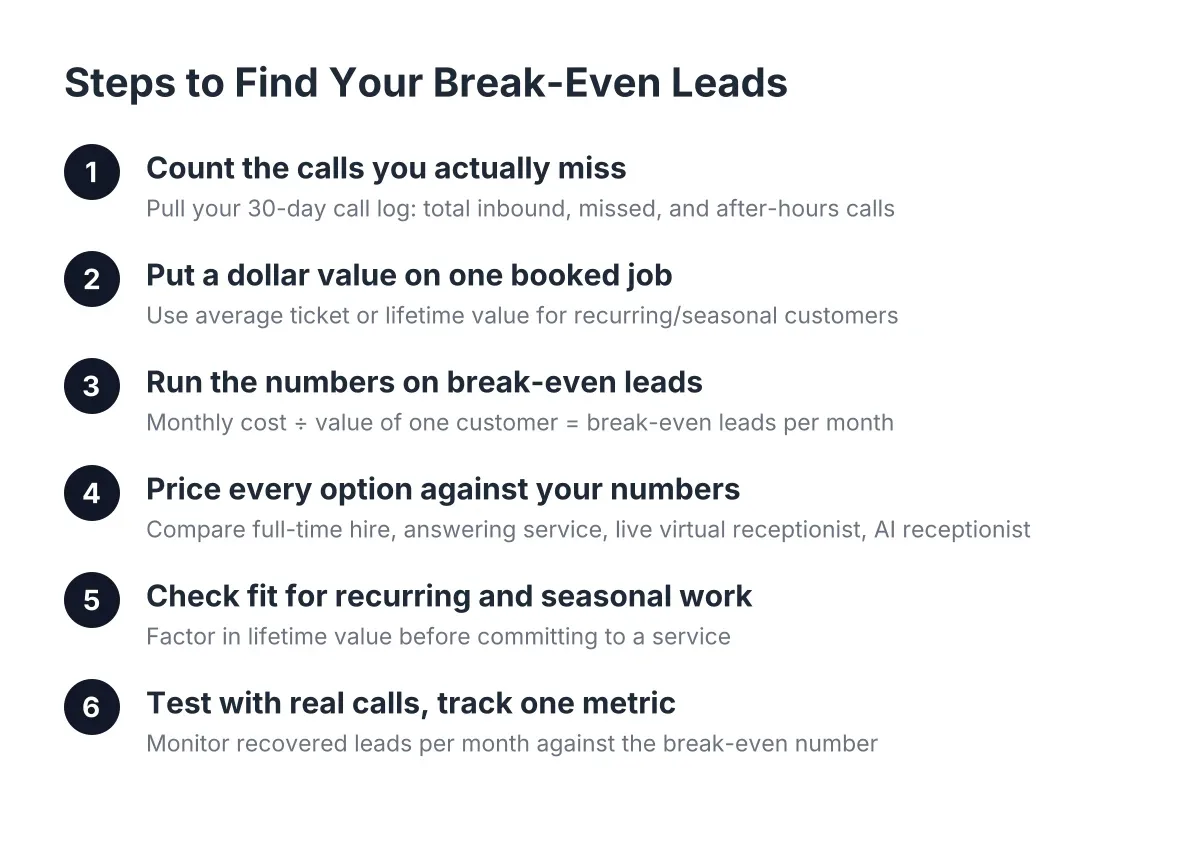
Getting a real number takes about fifteen minutes of prep. Have these ready before you talk to any provider:
- Your monthly call volume, including after-hours calls. Pull it from your carrier or phone system.
- What you need per call. Message only? Lead capture and qualification? Booked appointments on your calendar?
- Your emergency policy. Should a burst pipe at 11 p.m. trigger a live transfer to your cell, or a summary you handle at 6 a.m.?
- Your tools. Which CRM or scheduling system, if any, needs to receive leads.
A good quote spells out four things: the monthly rate, what is included at that rate, what triggers overages or add-on fees, and any setup or onboarding cost. If a provider will not put overage terms in writing, that is your answer about how the relationship will go.
Estimates differ between providers because the models differ. A per-minute answering service quote depends on assumptions about your average call length. A flat-rate AI receptionist quote depends on which plan tier fits your volume and features. Comparing the two means comparing your worst busy month, not your average one. That is where per-minute billing surprises people.
The fastest way to a real number for your business is also the most fun: call our AI and try to stump it. Ask it about a water heater replacement in Spanish, or a panel upgrade at 10 p.m. You will hear exactly what your customers would hear, and we will give you a straight quote based on your actual call volume.
Ways to Keep the Cost Down
You do not need coupons. You need to buy the right shape of service.
- Match the plan to your real volume. Pull three months of call records before you commit. Buying a tier sized for your January volume when you run an HVAC company in Austin is how you end up with overage charges every summer.
- Choose flat-rate over per-minute if your calls run long. Trade calls are not thirty-second calls. A homeowner describing a leak takes minutes, and per-minute billing meters all of them.
- Skip add-ons you will not use. If you do not run a CRM yet, do not pay for premium integrations. Add them when your workflow needs them. Good providers let you turn features on later.
- Get two or three quotes and compare the fine print. The monthly rate is the headline; the overage terms, bilingual fees, and after-hours surcharges are the story. Ask each provider the same four questions from the estimate section above.
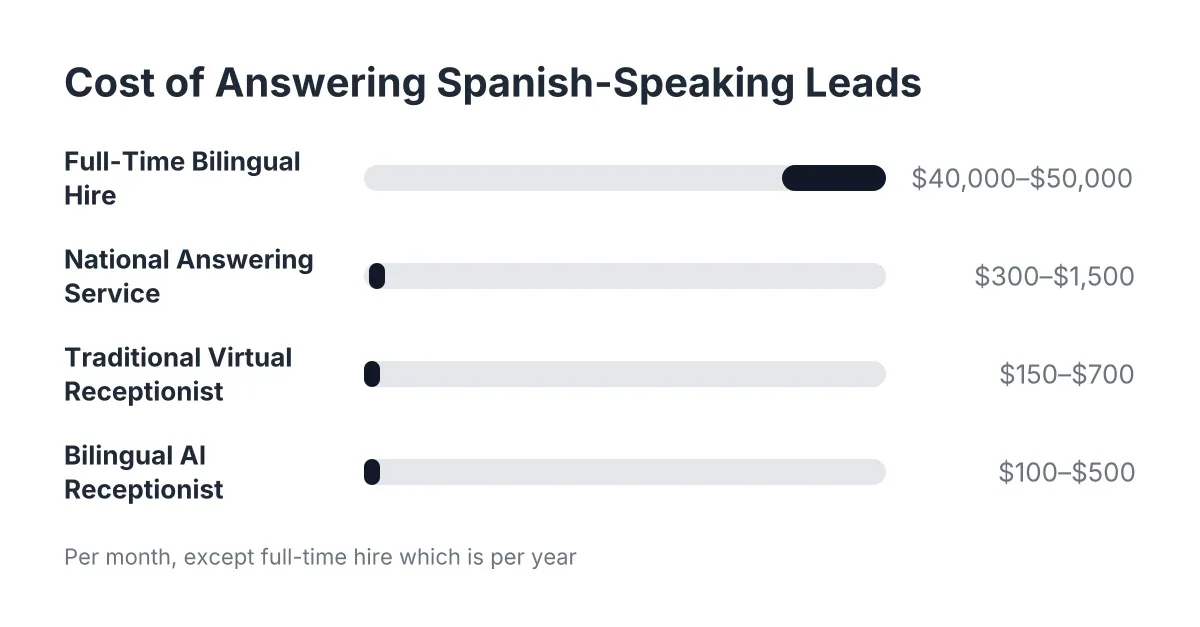
- Count the revenue side. One recurring customer captured from a call you would have missed while on a ladder can cover months of service. The cheapest option is not the one with the lowest bill; it is the one that stops missed calls from becoming your competitor's booked jobs.
Cost Questions People Ask
How much does an answering service cost compared to an AI receptionist?
Traditional answering service cost is usually metered by the minute, with extra charges for after-hours coverage, holidays, and bilingual agents. An AI receptionist typically charges a flat monthly rate that covers 24/7 answering, so the comparison depends on your volume. The more calls you get, and the more of them that come in after-hours, the more the flat-rate AI model pulls ahead.
Is an AI receptionist cheaper than hiring front-office staff?
A full-time hire comes with wages, payroll taxes, training, sick days, and coverage gaps at lunch, after 5 p.m., and on weekends. An AI receptionist answers 24/7 without any of that overhead, and it does not call in sick during a heat wave. That said, it augments your team rather than replacing the human relationship; your customers still get you on the job, just with every call captured first.
What hidden fees should I watch for in virtual receptionist pricing?
The common ones: per-minute overages, after-hours surcharges, bilingual add-on fees, setup charges, and per-integration costs for CRM sync. Ask every provider to list anything not covered by the base rate, in writing. Transparent providers answer in one email; the others answer in your third invoice.
Do I pay more for 24/7 and bilingual coverage?
With live-agent services, usually yes on both counts, because staffing overnight and bilingual agents costs them more. With our AI receptionist, 24/7 answering and English and Spanish support come standard on every plan. If a quote treats either one as a premium feature, that tells you the provider was not built for Central Texas trades.
The Bottom Line
Virtual receptionist pricing hinges on your call volume, what you need done with each call, and whether you are paying per minute or a flat monthly rate. You cannot control how many pipes burst in Austin, but you can control which billing model absorbs the busy months. Pull your call records, get two or three written quotes, and call our AI to hear it handle your kind of calls before you spend a dollar.
If you're losing revenue to missed calls, NeverMiss ATX can help.
Related guide: virtual receptionist services — Complete Guide
Prefer to talk it through? Call (512) 980-9267 — a quick call is usually the fastest way to get a straight answer for your situation.