Bridge Call vs. Conference Call: Which Is Right for You?
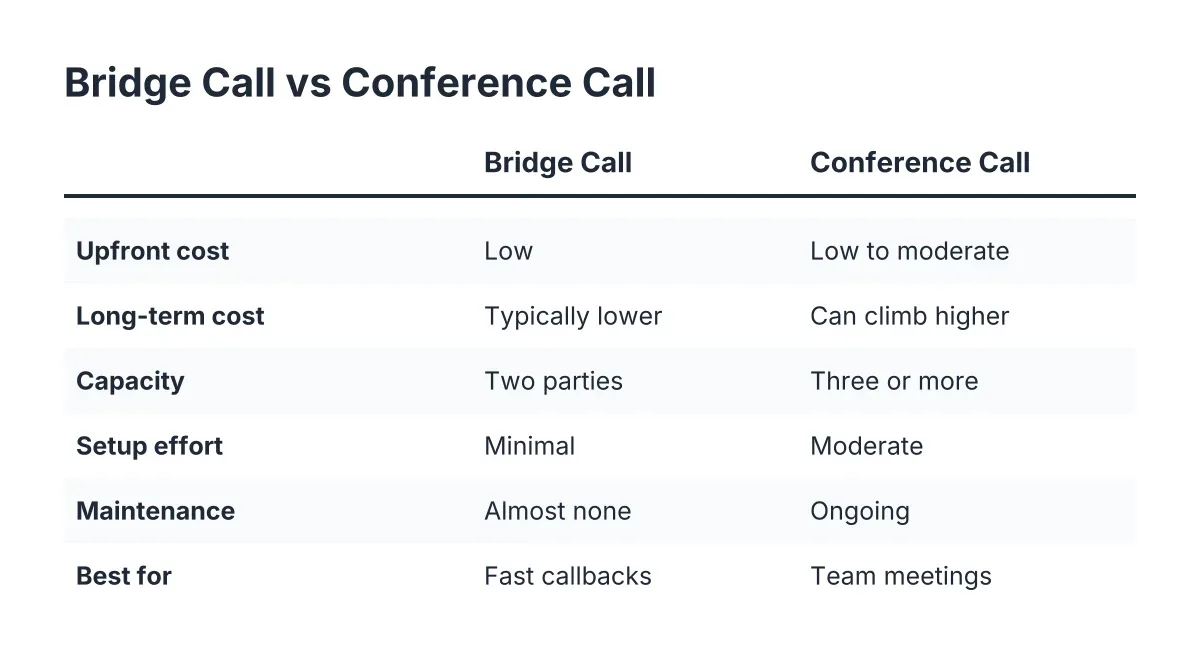
If you run a home service business, sooner or later you will need to connect more than one person on a phone line, and that means choosing between a bridge call and a conference call. The short version of the bridge call vs conference call decision: a bridge call wins when you need to connect two people fast, like patching a hot lead through to you while you are on site; a conference call wins when three or more people need to talk at once, like a walkthrough with a homeowner, your foreman, and a supplier. Both get people on the phone together, but they solve different problems and carry different costs. Here is the honest breakdown so you can pick the one that fits how your crew actually works.
| Criteria | Bridge Call | Conference Call |
|---|---|---|
| Upfront cost | Low; usually built into phone systems or answering platforms | Low to moderate; may require a dedicated conferencing service or plan upgrade |
| Long-term cost | Typically lower; charged as standard call minutes | Can climb with per-participant or per-minute conferencing fees |
| Capacity | Two parties connected through a system that dials both | Three or more participants on one shared line |
| Setup effort | Minimal; often one click or one tap | Moderate; dial-in numbers, PINs, or meeting links to manage |
| Maintenance | Almost none once configured | Ongoing; access codes, participant management, scheduling |
| Best for | Fast lead callbacks, urgent transfers, one-on-one follow-up | Team meetings, multi-party project discussions, vendor coordination |
Bridge Call: Strengths and Trade-offs
A bridge call is a system-initiated connection between two people. Instead of you dialing a lead directly from your cell, the system calls both of you and bridges the lines together. You tap one button, your phone rings, the lead's phone rings, and you are talking. That is the whole trick, and for a plumber halfway up a crawl space or an HVAC tech finishing a job in 95° heat, it is a useful trick. Our own dashboard includes one-click call bridging for exactly this reason: a lead comes in, the AI receptionist captures and qualifies it, and you connect the moment you are free without hunting for the number.
Bridge calls shine on speed and simplicity. There are no dial-in codes, no meeting links, and nothing for the customer to figure out. The call also shows your business number on the lead's caller ID rather than your personal cell, which keeps things professional and keeps your personal line private. For urgent situations, the same mechanics power live transfer: a burst-pipe caller at 2 a.m. gets bridged straight to you if you have opted in for emergency transfers.
The trade-off is capacity. A bridge call connects two parties, period. If you need your supplier, your foreman, and the homeowner on the same line, a bridge call cannot do it. It is also reactive by design; it works best as a fast response to an inbound lead, not as a planned multi-person discussion.
Conference Call Strengths: When Three or More Participants Join the Conversation
A conference call puts three or more people on one shared line at the same time. Everyone dials a number or clicks a link, enters a code if the service requires one, and talks together. For coordinating a kitchen remodel between you, the homeowner, and your tile sub, nothing else does the job. When a decision needs three voices in the same conversation, a conference call saves you from playing telephone between parties and getting details wrong.
Conference calls earn their keep on collaboration. They handle recurring team check-ins, multi-trade project coordination, and any conversation where hearing everyone at once beats a chain of one-on-one calls. Most modern phone systems and standalone conferencing services support them, and many include recording so nobody has to take notes on a tailgate.
The trade-offs are friction and cost. Somebody has to schedule the call, share the dial-in details, and wrangle late joiners. Customers who just want a quote do not want a PIN. Depending on your provider, conferencing features may sit behind a plan upgrade or carry per-minute or per-participant charges, so costs typically run higher over time than plain two-party calls. For a fast lead callback, a conference call is the wrong tool; it adds steps where you need zero.
Bridge Call vs Conference Call: The Deciding Factors
Cost drivers
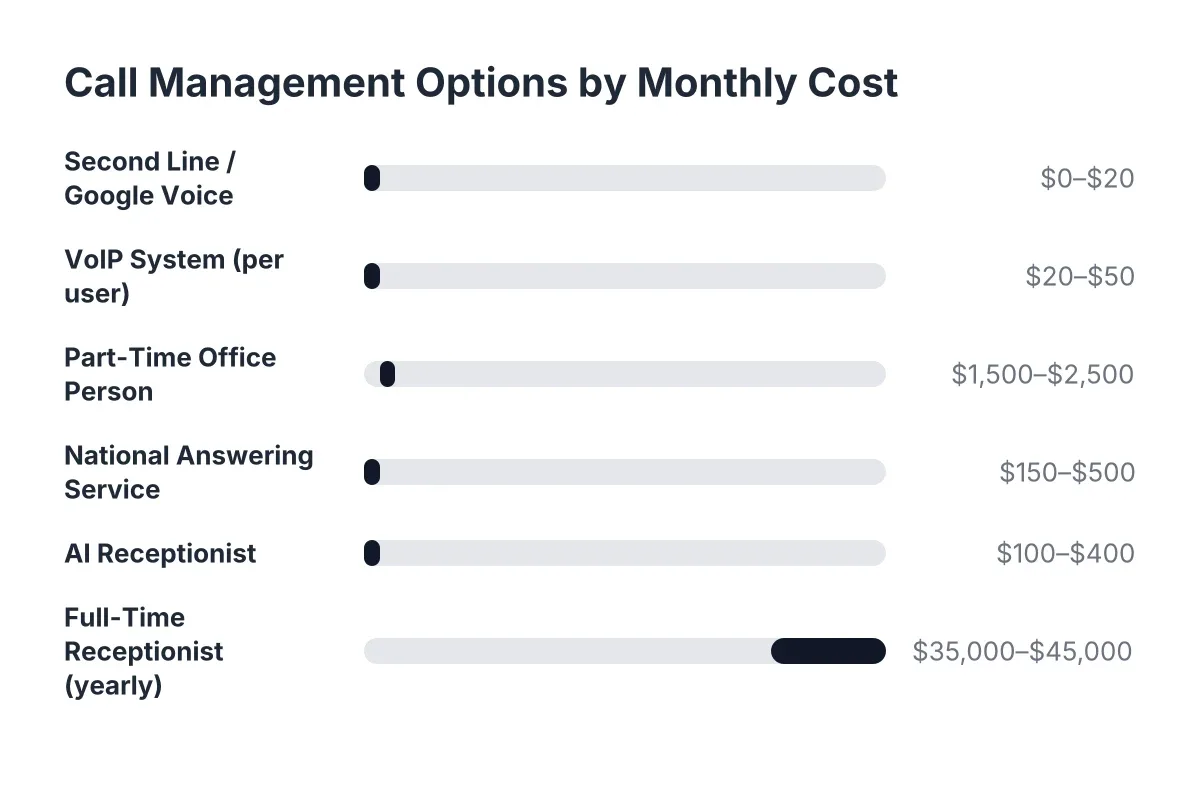
Bridge calls usually cost less over time because they bill like ordinary two-party calls. Conference calls introduce more variables: dedicated conferencing lines, per-participant pricing on some services, and plan tiers that gate the feature. Neither option should be a budget-breaker for a trades business, but if you are watching monthly spend, the bridge call is the leaner line item. Our cost guide for small business call management breaks down where these charges typically show up on a bill.
Setup and installation
Bridge calls win on setup because there is nothing for the other party to do. The system dials both ends, so a lead who called you an hour ago just answers their phone. Conference calls require distribution: a dial-in number, a code or link, and a scheduled time everyone agrees on. That is fine for a planned Tuesday morning crew meeting. It is a dealbreaker for a homeowner with water coming through the ceiling.
Maintenance and ongoing management
Bridge calls need almost no ongoing attention once configured, while conference calls require light but constant management. Someone owns the conference line, rotates or protects access codes, and troubleshoots the neighbor's cousin who cannot find the mute button. None of it is hard. All of it is time you could spend on the job.
Capacity and situational fit
The math is simple: two people means bridge call, three or more means conference call. A bridge call physically cannot add a third party, and a conference call adds needless friction to a two-person conversation. Match the tool to the headcount and you will rarely go wrong. Most home service businesses lean toward bridge calls day to day, because the highest-value phone moments in the trades are one-on-one: a new lead, a callback, an urgent transfer. Missed calls in those moments cost real jobs, which is why home service businesses miss calls daily and why fast two-party connection matters more than group calling for most crews.
How each fits your call handling setup
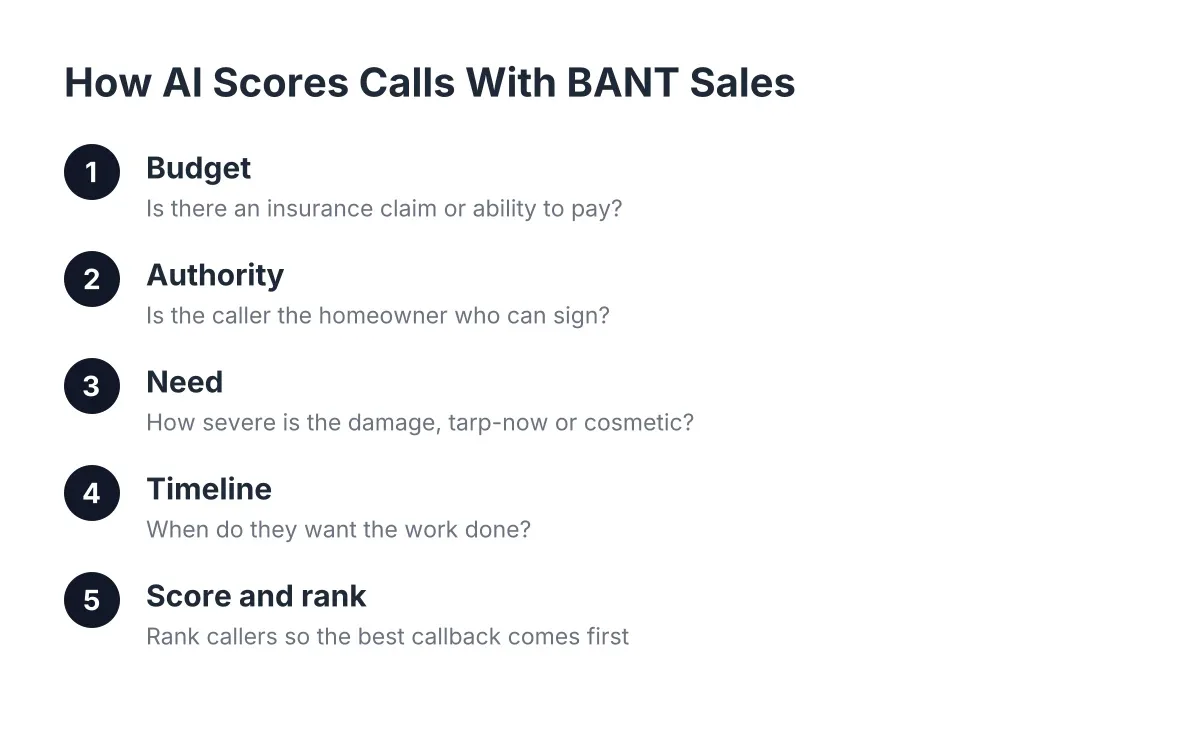
Bridge calls integrate naturally with small business call management; conference calls usually live in a separate tool. When an AI receptionist answers your line 24/7, captures the lead in English or Spanish, and books the appointment, a bridge call is the last mile: you see the qualified lead in your dashboard and connect with one click. Conference calling sits outside that flow, which is fine, because it solves a different problem. If some of these terms are new, our plain-English call management glossary covers the vocabulary without the jargon.
Which Should You Choose?
Choose Bridge Call if:
- Your priority is calling leads back fast, often from a job site
- Most of your important calls involve exactly two people
- You want your business number, not your personal cell, on caller ID
- You want urgent after-hours calls transferred to you with zero friction
- You would rather manage nothing: no codes, no links, no scheduling
Choose Conference Call if:
- You regularly need three or more people in one conversation
- You coordinate multi-trade projects with subs, suppliers, and homeowners
- You run recurring crew meetings by phone
- Your team is spread across Central Texas and cannot meet in person
- You are willing to manage dial-in details in exchange for group discussion
For most home service businesses, this is not either-or. Use bridge calls for lead response and urgent transfers, and keep conference calling in your back pocket for the occasional multi-party project conversation. If you only budget for one, and your revenue depends on answering the next inbound lead, the bridge call earns its spot first.
Common Questions
Can I use call management software instead of hiring a receptionist?
Yes, and for many trades it is the practical route. An AI receptionist answers every call 24/7, captures the lead, qualifies it, and books the appointment, then a bridge call connects you when you are off the ladder. You keep the human relationship where it counts, on the job and on the follow-up call, without paying a full-time salary to cover the phone.
How does call routing and forwarding work for small business phone systems?
Routing decides where an inbound call goes: your cell, a teammate, or an answering system. Forwarding sends calls from one number to another automatically, which is how after-hours calls reach whoever is on duty. Bridge calls and live transfers are refinements of the same idea; the system connects the right two people at the right moment instead of just pushing the call somewhere and hoping.
What features should I look for in a small business call management platform?
Look at the bridge call vs conference call question first: do you mostly need fast two-party connections, group calling, or both? Then check for 24/7 answering, lead capture with qualification, one-click call bridging, opt-in live transfer for emergencies, and bilingual support if your customers speak English and Spanish. CRM sync and call summaries save you from retyping job details at 9 p.m.
How long does it take to set up a call management system for a small business?
Less time than most owners expect. Bridge calling is typically live the same day it is configured, since it rides on your existing numbers. Conference calling takes a little longer if you need a dedicated line and want to share dial-in details with your team, but neither should require an IT department or weeks of setup.
If you're losing revenue to missed calls, NeverMiss ATX can help.
Prefer to talk it through? Call (512) 980-9267 — a quick call is usually the fastest way to get a straight answer for your situation.