7 Best Landing Page Examples for Booking Contractor Appointments Online
Search "best landing page examples" and you get 40-item swipe files built for SaaS startups and ecommerce brands. None of them answer the question that matters when hail hits Georgetown at 9pm and your phone lights up: does this page capture the lead, or does it lose them to whoever answers first? The best landing page examples for home service and trades work differently. They exist for one reason, to turn a panicked homeowner into a booked appointment with a name, an address, and a callback number logged before they dial your competitor.
This list breaks down seven landing page patterns that do exactly that. Each one plugs a specific leak in the path from first click to booked job. If you run an emergency or storm-driven business in Central Texas, these are the pages worth copying.
Why Trades Need Different Best Landing Page Examples Than Everyone Else
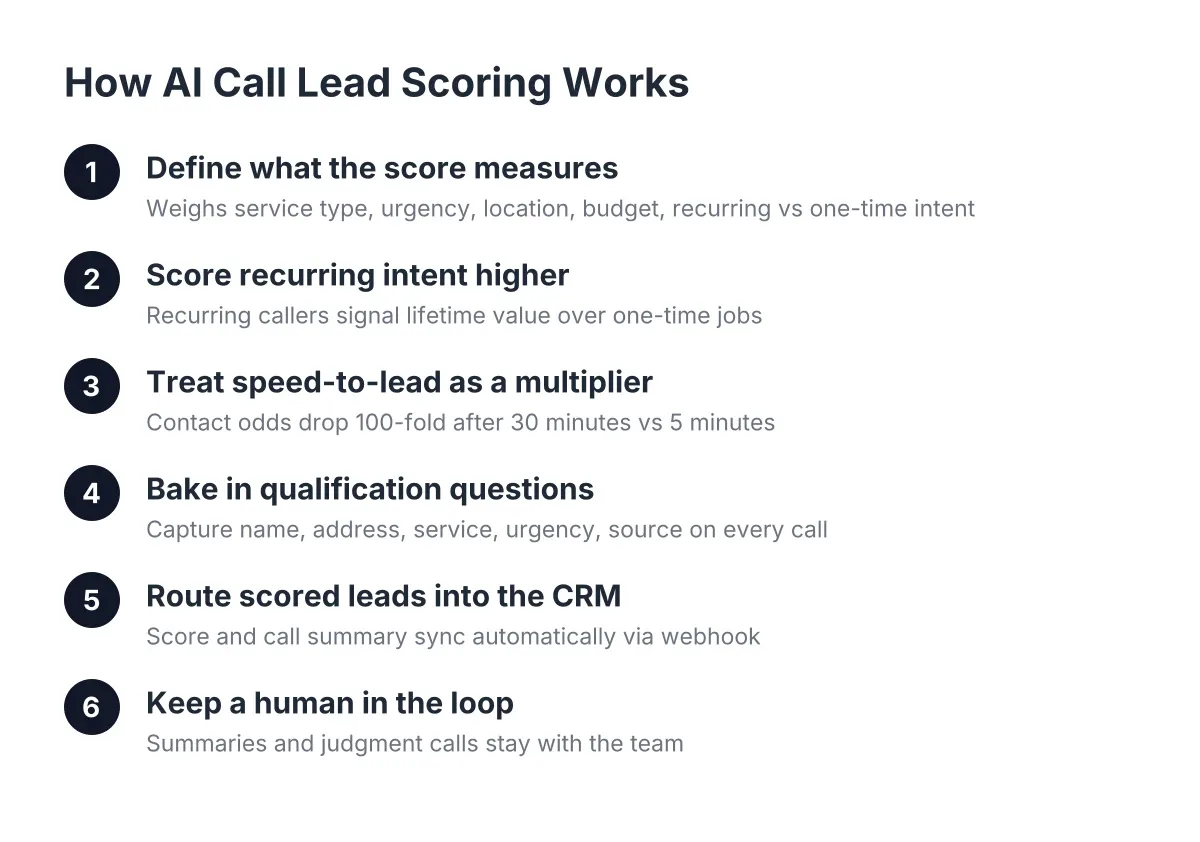
A homeowner with a burst pipe at 11pm does not browse. According to a foundational MIT Sloan School of Management / InsideSales.com study, the odds of contacting a lead drop 100-fold when the response comes at 30 minutes instead of within 5 minutes, and the odds of qualifying that lead drop 21-fold. Emergency callers move faster than that. They pick whoever responds first.
Therefore, every example below is judged on one standard: how quickly it moves a visitor from "I have a problem" to "someone has my information and is handling it." Design polish matters less than response speed and lead capture. Keep that lens on as you read.
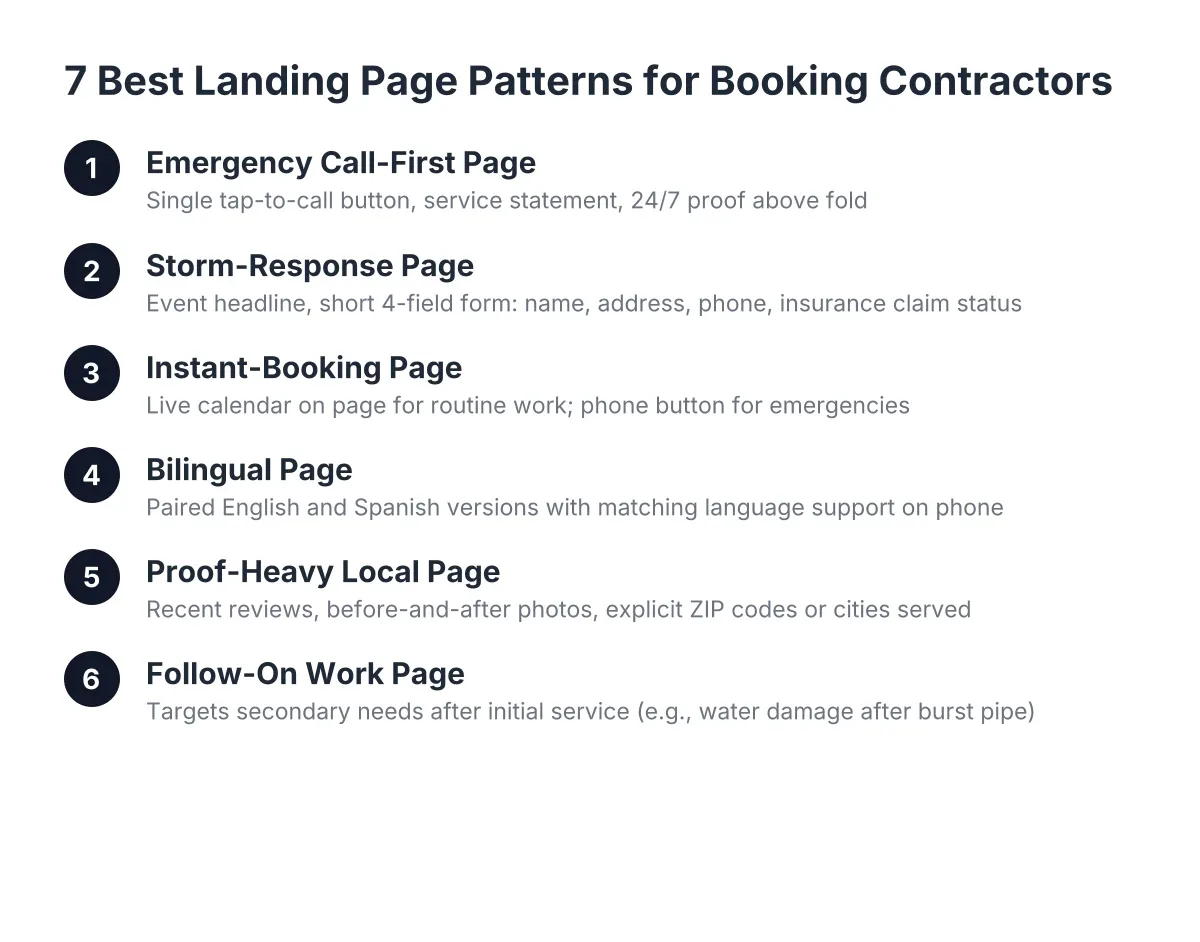
1. The Emergency Call-First Page (One Button, One Job)
The strongest emergency landing page has a single tap-to-call button above the fold, a plain statement of what you fix, and proof you answer 24/7. That is the whole page. No slider, no photo carousel, no "About Our Story" section pushing the phone number below the fold.
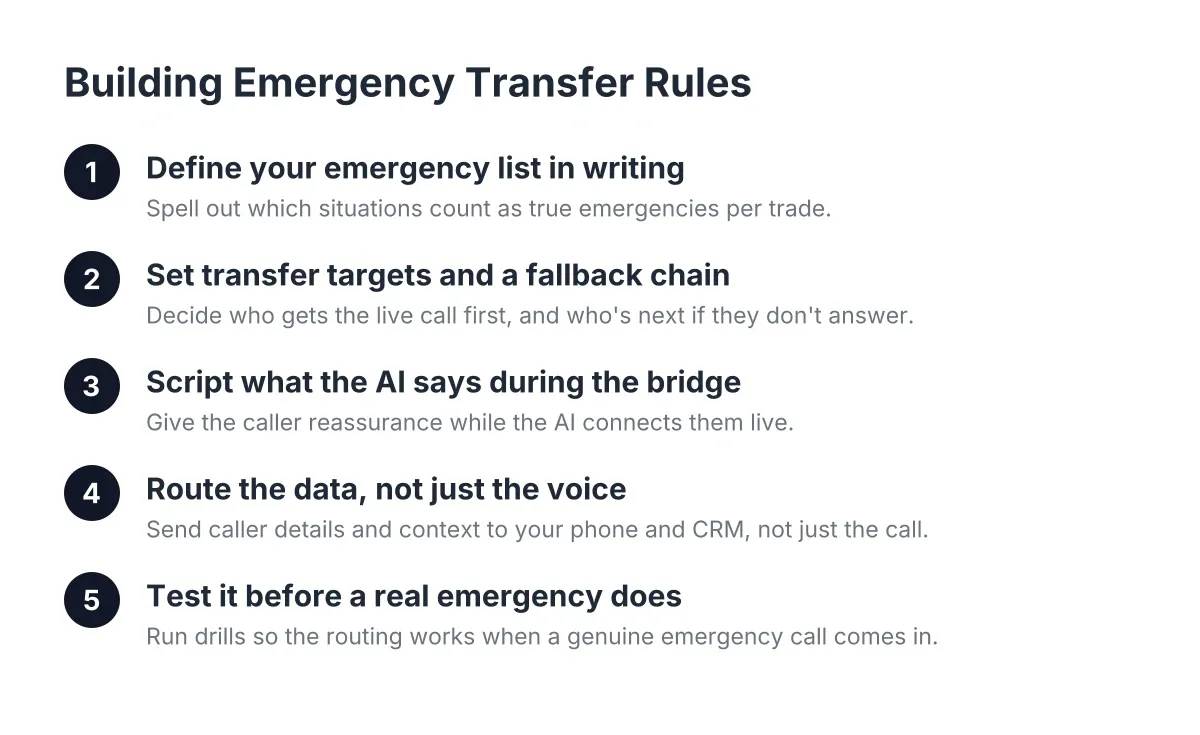
A Round Rock plumber running this pattern during the 2021-style freeze scenario needs three elements: "Burst pipe? We answer on the first ring, day or night," a phone number rendered as a button, and a one-line service area list. Panic callers abandon slow pages faster than routine shoppers abandon anything. The trade-off is real, though; a call-first page only works if something answers every call. If it rings to voicemail at 2am, the page just delivered your lead to the next result on Google. This is where an AI receptionist earns its keep, answering the first ring, capturing the address and urgency, and transferring true emergencies live.
2. The Storm-Response Page With a Short Lead Capture Form
After a hail event, roofing and restoration crews in Cedar Park and Pflugerville face 48 to 72 hours of concentrated demand. The best storm-response pages pair a headline naming the event ("Hit by the March hailstorm? Free roof inspection this week") with a lead capture form asking exactly four things: name, address, phone, and whether they have filed an insurance claim.
Every extra field costs you leads, and at a $7,500 average ticket, each abandoned form is expensive. Four fields is the ceiling. In addition, the insurance question doubles as qualification; it tells your office lead which callbacks to prioritize before anyone picks up the phone. Pages built this way outperform generic "Request a Quote" pages because they meet the homeowner inside the exact moment they are living through.
3. The Instant-Booking Page That Skips Phone Tag Entirely
Some leads do not want to talk. The instant-booking page puts a live calendar on the landing page itself, so a homeowner in Leander can pick Tuesday at 2pm for an electrical inspection without a single call. For non-emergency work, this pattern converts the "I'll call tomorrow" crowd who never actually call.
However, do not use this pattern alone for urgent services. A no-cool call in a 107-degree Austin summer, the temperature the Office of the State Climatologist at Texas A&M University recorded at the peak of 2023's heat, cannot wait for a Tuesday slot. The fix is a hybrid page: emergency callers get the phone button, routine work gets the calendar. One page, two paths, zero leads told to leave a voicemail.
Best Landing Page Examples: Getting Booking Links Right
The pages that convert send the booking link the moment interest appears, by text, by chat, or on the thank-you screen. Waiting to email a link the next morning recreates the same delay the landing page existed to remove. Whether the booking link comes from the page itself or from an AI receptionist texting it mid-call, the principle holds: the lead books while the problem still hurts.
4. The Bilingual Page That Doubles Your Addressable Market
Central Texas is a bilingual market, and a landing page only in English quietly filters out a large share of homeowners who need a plumber tonight. The best bilingual pages do not bolt on a translate widget; they run a proper Spanish version with a Spanish-speaking answer on the other end of the phone number.
For example, a pest control operator in Pflugerville running paired English and Spanish pages captures calls a monolingual competitor never sees. The page is only half of it. If the caller reaches an English-only voicemail, the Spanish page just made a promise the phone broke. Bilingual capture has to run end to end, from headline to the voice that answers.
5. The Proof-Heavy Local Page (Reviews, Photos, ZIP Codes)
Trust pages win the skeptical searcher. This pattern stacks three proof elements above the form: recent reviews naming Austin neighborhoods, before-and-after job photos, and an explicit list of ZIP codes or cities served. "Serving Round Rock, Georgetown, and Cedar Park since 2012" beats any stock photo of a smiling call center agent.
Notably, a Five9/TEAM LEWIS survey found 75% of consumers prefer talking to a real human for customer support, while 84% know companies use AI in customer service. The lesson for your page: lead with local, human proof, then be transparent about how calls get answered. Homeowners accept AI answering the phone when it captures their problem accurately and a real local crew shows up. They reject anything that feels like a national call center wearing a local mask.
6. The Follow-On Work Page (Water Damage After the Burst Pipe)
The smartest lead generation landing page examples in restoration capture the second job, not just the first. A burst pipe call is worth the plumbing fix; the water damage and restoration work behind it is often worth several times more. This pattern adds one question to the lead capture form or the intake call: "Is there standing water or visible damage to floors and walls?"
As a result, one landing page feeds two revenue streams, and the answer routes the lead correctly, plumber now, restoration estimate booked for tomorrow. Most of what people call lead capture for contractors stops at name and number. The follow-on pattern treats capture as triage: what is the problem, how urgent is it, and what work comes after the emergency is contained. That framing is where the high-ticket money lives.
7. The After-Hours Page That Tells the Truth About Response
Here is the most honest pattern on this list, and the rarest. The after-hours page states exactly what happens when someone reaches out at 11pm: "Call now and a live answer captures your details, scores the urgency, and books you for the first morning slot, or transfers you immediately if water is actively flowing." No vague "we'll get back to you soon."
Specificity calms panic callers, and calm callers give accurate addresses and better problem descriptions. This pattern only works if the promise is mechanically true. An NFIB survey found only 24% of small employers currently use AI tools in their business, which means most of your competitors still route after-hours calls to voicemail. A page that credibly promises a first-ring answer at 2am is a competitive weapon precisely because so few trades can back it up.
What Happens After the Page: Where Captured Leads Go to Die
A landing page that converts is step one. The leak most owners never see comes after: the form submission that sits unread in an inbox while the crew is on site, the missed call that never gets logged anywhere. Fixing the page without fixing the pipeline just moves the leak downstream.
Every lead needs to land somewhere your team actually works from, within minutes:
- CRM sync. Push every call and form lead into HubSpot, Salesforce, Zoho, or a Zapier workflow automatically, so nothing depends on someone remembering to copy a voicemail.
- Lead scoring. Tag emergencies apart from tire-kickers, so a flooding call outranks a "quote for next spring" in the callback queue.
- One-click callback. Let whoever is dispatching call the lead from a dashboard without hunting for the number.
- A weekly report. Monday morning, see every lead, its source, and its status; leaks hide in the gaps between what you think happened and what got logged.
One honest caveat: no page or system diagnoses a job. A landing page can capture "no power in half the house," but a licensed electrician still has to assess whether it is a tripped breaker or a fire risk, and your intake should never promise otherwise.
Steal the Pattern, Not the Pixels
The best landing page examples for trades share one spine: name the emergency, ask for four things or fewer, answer on the first ring, and push the lead straight into a system a human will act on. Good landing page examples from SaaS swipe files optimize for demo signups; yours optimize for a truck in a driveway before the competitor's phone stops ringing.
Start with the pattern that matches your biggest leak. If after-hours calls hit voicemail, build page seven first. If storm season buries your office lead, build page two. Then test your own funnel the way a panicked homeowner would: load your page on a phone at 10pm, tap the number, and see what answers. Whatever happens in those first ten seconds is what every lead you paid for experiences.
If you're losing revenue to missed calls, NeverMiss ATX can help.
Prefer to talk it through? Call (512) 980-9267 — a quick call is usually the fastest way to get a straight answer for your situation.