How Much Does Appointment Booking Automation Cost?
If you run a plumbing, HVAC, electrical, or roofing outfit in Central Texas, you have probably typed how much does appointment booking automation cost and landed on a page full of made-up averages. Here is the honest answer: the price hinges on three things, call volume, how much of the workflow you automate (phone, website chat, or both), and how deep the setup goes with integrations like CRM sync and live transfer. Anyone quoting you a single number without asking about those three is guessing. By the end of this guide you will know exactly what drives the price up or down, what information to gather, and how to get a real number for your business instead of a placeholder.
What Drives the Cost of Appointment Booking Automation
Every quote you get, from us or anyone else, is built from the same handful of factors. Know where you sit on each one and no salesperson can surprise you.
Call volume and after-hours coverage
The biggest driver is how many calls your business takes and when they come in. A one-truck handyman fielding a dozen calls a week sits at the low end. An HVAC company getting slammed in August when it is 95 degrees and every AC in Austin quits at once sits higher. After-hours coverage matters too. If most of your missed calls happen at 7 pm on a Tuesday or during a Sunday burst pipe, you need true 24/7 answering, not business-hours-only service. You can tell which side you are on by pulling your phone records for the last 30 days. Count total calls and count how many came in while you were on site or after 6 pm. That number shapes your price more than anything else.
Scope: phone only, chat only, or both
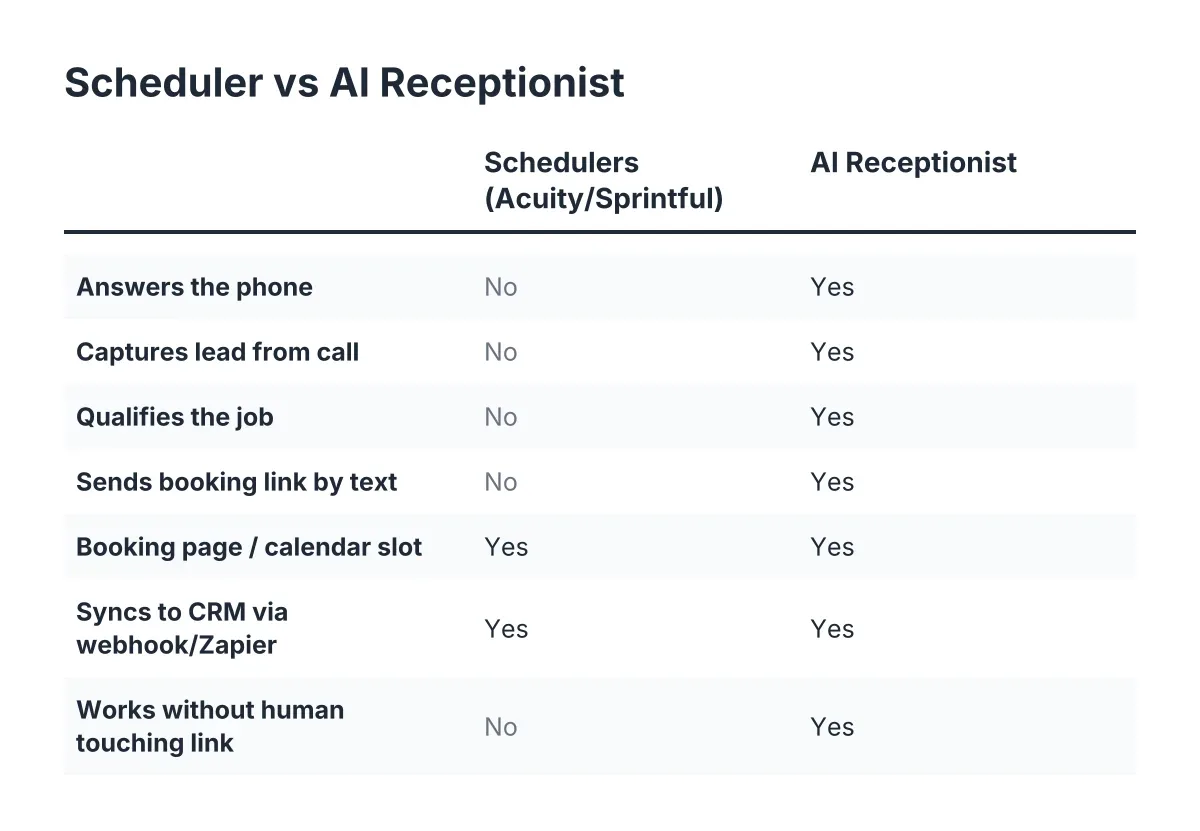
An AI receptionist that answers your phone line is one product. An AI website chatbot that captures visitors and sends booking links is another. Bundling both channels raises the price over a single channel, but usually costs less than buying each separately. You are on the low-scope side if nearly all your leads call. You are on the high-scope side if your website already gets steady traffic that leaves without booking. Check your Google Business Profile and website analytics: if people visit but never call, chat coverage earns its keep.
Integrations and lead routing
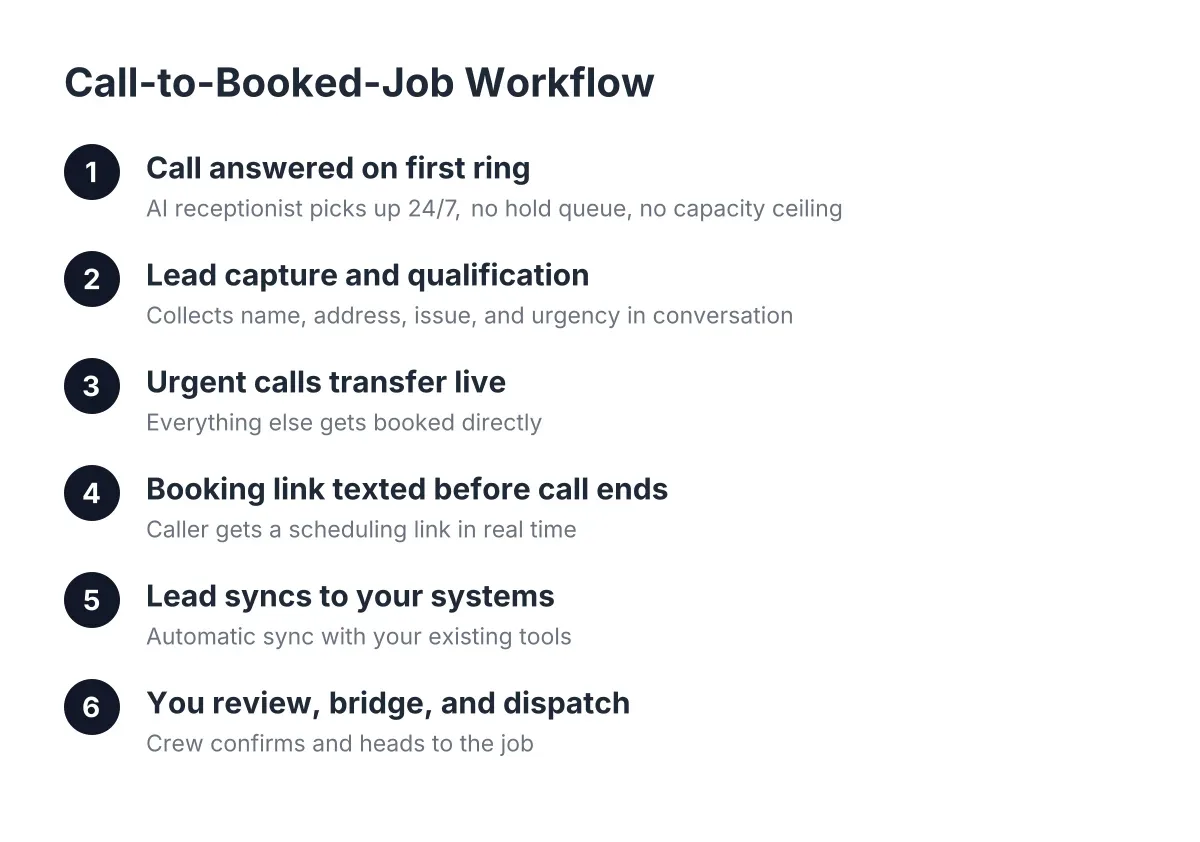
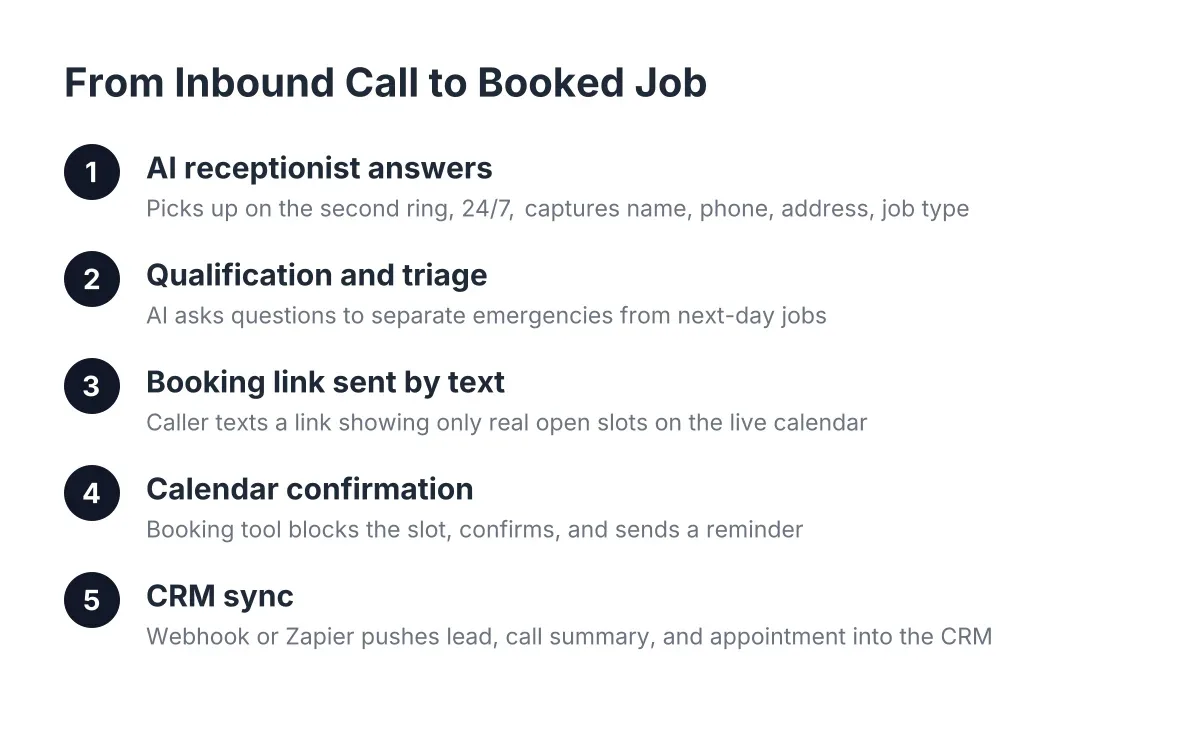
Booking link delivery on its own is simple. Syncing every captured lead into HubSpot, Salesforce, Zoho, or a Zapier workflow takes setup work, and setup work costs money. Same with one-click call bridging from a dashboard and opt-in live transfer for urgent calls. If you run your business from a phone and a notepad, you sit on the cheap side of this factor. If you have a CRM and a dispatcher who needs leads pushed in real time, expect the integration line item to grow. The good news: it is usually a one-time setup effort, not a recurring surcharge.
Qualification depth and call intelligence
There is a difference between an answering service that takes a name and number and an AI receptionist that qualifies the lead, asks the right questions about the job, scores the call, and sends you a summary you can read in the truck. Deeper qualification and AI call intelligence, meaning automatic scoring and summarization of every call, push the price up. Basic message-taking pushes it down. Ask yourself: do you lose money chasing tire-kickers? If yes, qualification pays for itself. If every call you get is a real job, you can start lighter.
Language coverage and emergency handling
Bilingual answering matters in Central Texas. Some providers charge extra for Spanish; on our plans it is included by default, so this factor costs you nothing with us but can add to quotes elsewhere. Ask directly. Emergency triage is similar: if a caller has water pouring through a ceiling, you need the system to recognize urgency and offer live transfer, not just take a message. Opt-in emergency transfer is a feature worth paying for if you do emergency work, and worth skipping if you do not.
Contract terms and setup complexity
Month-to-month plans typically price higher per month than annual commitments. Heavy custom setup, unusual call scripts, or complicated routing rules add one-time costs. You sit on the low side if you want a standard trade setup: answer, qualify, book, summarize. You sit on the high side if you need custom logic for multiple crews, service areas, or brands under one roof.
Cost Factor Table
| Factor | Pushes the price down when… | Pushes it up when… |
|---|---|---|
| Call volume | You take a modest number of calls, mostly during business hours | High volume with heavy after-hours and seasonal spikes |
| Scope of channels | Phone-only AI receptionist covers your lead flow | You add an AI website chatbot alongside phone answering |
| Integrations | Leads go to email or a simple dashboard | You need CRM sync, webhooks, and real-time lead routing |
| Qualification depth | Basic lead capture and booking link delivery is enough | You want full qualification, call scoring, and summaries |
| Language and emergencies | English-only, no urgent-call handling needed | Bilingual coverage costs extra with your provider, plus live transfer |
| Contract and setup | Standard setup on an annual plan | Month-to-month terms with custom scripts and routing |
How to Get an Accurate Appointment Booking Automation Estimate
Stop guessing and start counting. Before you talk to any provider, pull together five things:
- Your call volume. Total calls last month, split by business hours and after-hours if your phone records show it.
- Your missed calls. How many went to voicemail while you were on a ladder or under a house. Each one is a job that may have gone to the next name on Google.
- Your average job value. A quote only makes sense against what a booked job is worth to you, especially a recurring customer whose lifetime value is many first visits.
- Your tools. Which CRM you use, if any, and whether you need leads pushed into it.
- Your must-haves. Bilingual answering, emergency live transfer, weekly reporting, whatever you cannot compromise on.
A good quote includes the monthly price, what call volume that covers, what happens if you exceed it, any one-time setup cost, and the contract term. If a provider will not put those five things in writing, keep walking.
Why do estimates differ so much between providers? Because they are not selling the same thing. A national call center prices human seat time. A generic software tool prices logins. An AI receptionist prices coverage and outcomes. Compare quotes feature by feature, not headline number by headline number. And here is a test no spec sheet can fake: ask what appointment booking automation costs, then ask to call the AI yourself and try to stump it. Ask it about a burst pipe at 2 am, ask it in Spanish, ask it to book you. Five minutes on the phone tells you more than five brochures.
Ways to Keep the Cost Down
None of these are gimmicks. They are how careful owners buy this well.
- Start with the channel that bleeds most. If missed calls are your problem, buy phone answering first and add the website chatbot later once the phone side proves itself.
- Skip integrations you will not use yet. If you do not have a CRM, do not pay to sync one. Booking links and a weekly Monday morning report may be all you need for the first six months.
- Commit once you have proof. Run month-to-month during a trial period, then move to a longer term for the better rate after the system has booked real jobs.
- Get two or three quotes with identical specs. Hand each provider the same call volume, the same must-haves, and the same integrations. Only then are the numbers comparable.
- Buy before your busy season, not during it. Setting up in the calm months means the system is trained and tested before the summer surge, and you avoid rushed-setup costs.
Once you are up and running, squeezing full value out of the spend matters as much as the sticker price. We wrote up eight ways to get every dollar's worth from appointment booking automation if you want the follow-through playbook.
Cost Questions People Ask
Is appointment booking automation cheaper than hiring a receptionist?
For most home service businesses, yes, and by a wide margin, because you are not paying a salary, benefits, or overtime for nights and weekends. A human receptionist also cannot answer at 2 am or take two calls at once. The fair comparison is not AI versus person; it is AI receptionist plus you doing the skilled work versus missed calls going to a competitor.
Do I pay per call, per booking, or a flat monthly fee?
It varies by provider, which is exactly why quotes are hard to compare. Some charge per call minute, some per lead, and some charge a flat monthly rate tied to a volume tier. Ask which model applies, what the overage terms are, and get it in writing before you sign.
Are there setup fees, and what do they cover?
Sometimes, and they usually cover training the AI on your services, your service area, your pricing questions, and your booking flow, plus any CRM or webhook wiring. A standard trade setup should be light. Custom routing for multiple crews or brands costs more. Ask for the setup fee as a separate line item so you can see it.
How much does appointment booking automation cost as call volume grows?
If your plan is volume-tiered, growth can move you into a higher tier, which is a good problem since more calls means more booked jobs. Ask upfront where the tier lines sit and what crossing one costs. A transparent provider will show you the whole ladder, not just the rung you start on.
The Bottom Line
The honest cost picture: your price depends on call volume, scope, integrations, and the depth of qualification you want, not on some invented industry figure. Gather your last 30 days of call records, write down your must-haves, and get two or three quotes built on identical specs. Then call the AI itself and try to stump it; if it cannot handle your questions, its price does not matter.
If you're losing revenue to missed calls, NeverMiss ATX can help.
Prefer to talk it through? Call (512) 980-9267 — a quick call is usually the fastest way to get a straight answer for your situation.