What Actually Happens When a Free AI Receptionist Answers Your Emergency Line
It is 11:14 on a Tuesday night in Pflugerville. A homeowner's water heater just let go, there is half an inch of water spreading across the garage, and she is calling every plumber Google shows her. If you are asleep or on another job, the call goes to voicemail, and she hangs up in four seconds. This is exactly the moment a free AI receptionist trial gets tested by owners like you, and it is exactly the moment most owners have never actually seen from the inside. So this article walks through what happens on a live call, second by second, from first ring to booking confirmation. We built an AI receptionist here in Austin for Central Texas trades, and we are going to open the hood.
No generic SaaS explainer. No feature grid. Just what the caller hears, what the AI does, and where the whole thing can go wrong if it is built badly.
Why the First Ring Decides Who Gets the Job
Emergency callers do not leave voicemails. A panicked homeowner with a burst pipe, a no-cool call in August, or roaches pouring out of a wall at midnight will abandon a ringing line faster than any routine caller. Then she dials the next name on the list, and that competitor just picked up a $2,800 emergency job plus whatever water damage restoration work follows it.
The math on speed is brutal. According to a study from MIT Sloan School of Management and InsideSales.com, the odds of contacting a lead drop 100-fold when you call back at 30 minutes instead of within 5 minutes. The odds of qualifying that lead drop 21-fold. For after-hours emergency work, "call back in the morning" is functionally the same as never calling back.
Most Austin home service owners already know this in their gut. What they do not know is what an AI phone answering system actually does when it picks up that call, because every vendor describes it in abstractions. So let's stop describing and start walking through a real call.
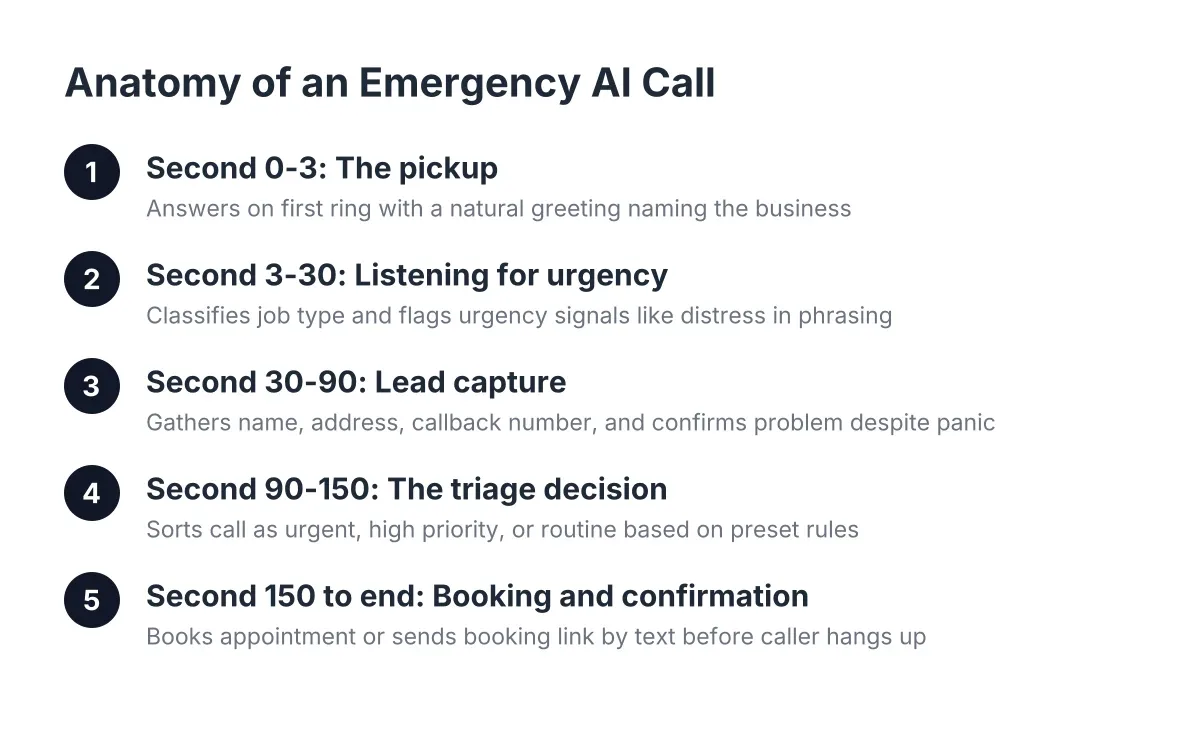
The Live Call, Second by Second
Here is a call our AI receptionist handles routinely for Central Texas plumbers, reconstructed as a walkthrough. The details change; the flow does not.
Second 0 to 3: The pickup
The phone answers on the first ring, every time, at 2 p.m. or 2 a.m. The caller hears a natural voice, not a robotic phone tree: "Thanks for calling Hill Country Plumbing, this is the after-hours line. What's going on tonight?"
Two things matter here. First, the greeting names your business, so the caller knows she reached the right company and not a national call center reading a script. Second, the opening question is open-ended on purpose. Panicked callers do not want to press 1 for plumbing; they want to blurt out the problem, and the AI needs to handle a blurt.
Second 3 to 30: Listening for urgency
The caller says something like: "There's water everywhere, my water heater is leaking all over the garage, I don't know where the shutoff is."
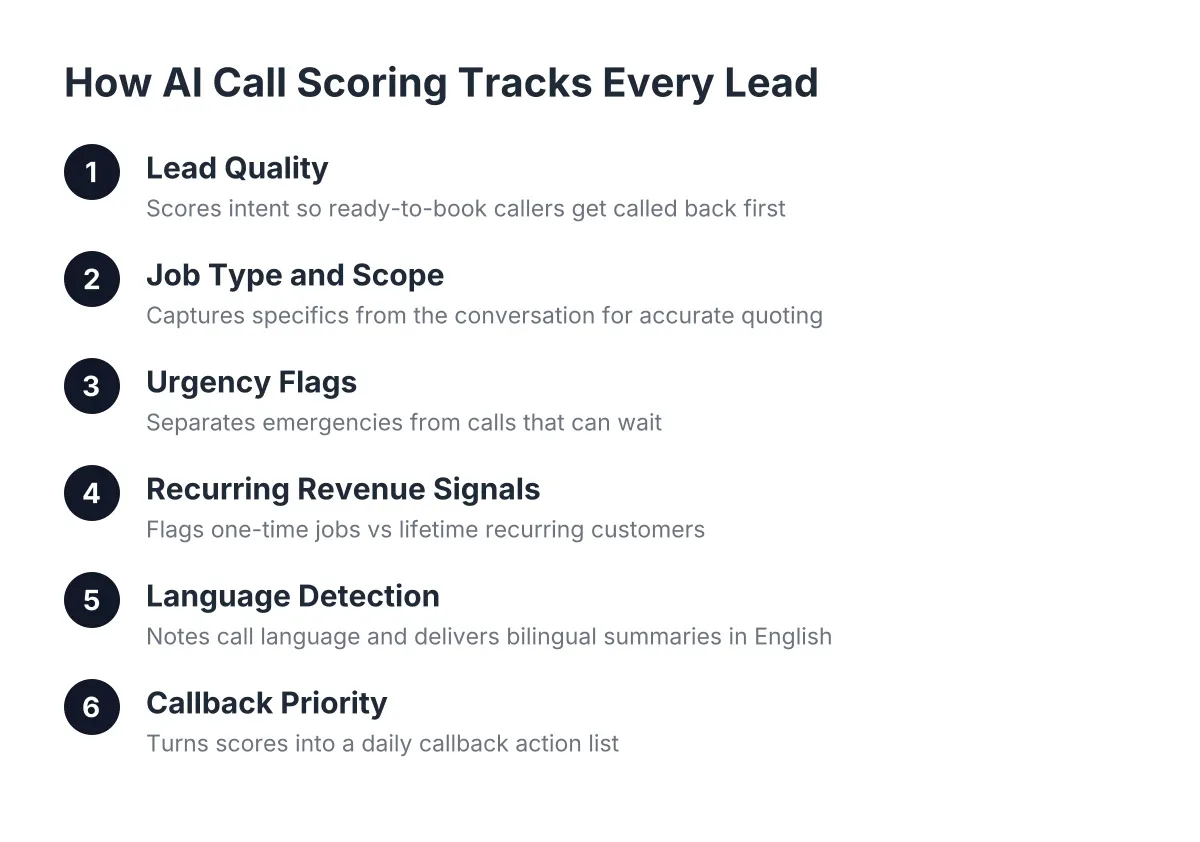
A well-built AI receptionist does three things with that sentence at once. It classifies the job type (water heater failure), it flags the urgency signals ("water everywhere," distress in phrasing), and it responds like a person who has heard this before: "Okay, that sounds stressful, but we can get this handled. First, let's get the water stopped. Do you know if your home has a main shutoff valve, usually near the street or where the line enters the house?"
That calming, practical beat is not decoration. Emergency callers stay on the line when they feel like someone competent picked up. They hang up when they feel processed.
Second 30 to 90: Lead capture that survives panic
Next comes the information a dispatcher needs, gathered in the order a stressed caller can handle: name, service address, callback number, and a quick confirmation of the problem. The AI asks for these one at a time, repeats the address back, and confirms spelling on the street name. In Central Texas that matters; "Parmer" and "Palmer" are two different truck rolls.
If the caller starts in Spanish, or switches mid-call because that is the language panic comes out in, the AI switches with her. No transfer, no "please hold for a Spanish line." Bilingual handling is built into every call, because a big share of Austin's emergency calls happen in Spanish and a monolingual line quietly loses those jobs every week.
Second 90 to 150: The triage decision
This is where emergency trades rightfully get skeptical. Can the AI tell a true emergency from a Tuesday-morning job? The honest answer: only if you define the rules, and a good system makes you define them during setup.
For a plumber, the triage logic might look like this:
- Active flooding, sewage backup, no water to the home: urgent. Offer live transfer to the on-call tech immediately.
- Water heater leaking but shutoff located and closed: high priority. Book the first morning slot and send the booking confirmation by text.
- Dripping faucet, running toilet, slow drain: routine. Capture the lead, deliver the booking link, and queue it for the Monday report.
With live transfer turned on, the urgent caller hears: "This qualifies as an emergency, so I'm connecting you to our on-call plumber right now. Stay on the line." The bridge happens in seconds, and if the tech does not pick up, the AI takes the full details and fires an immediate alert instead of dropping the caller into dead air. Transfer delay is the moment callers bail, so the fallback path matters as much as the transfer itself.
Second 150 to end: Booking and confirmation
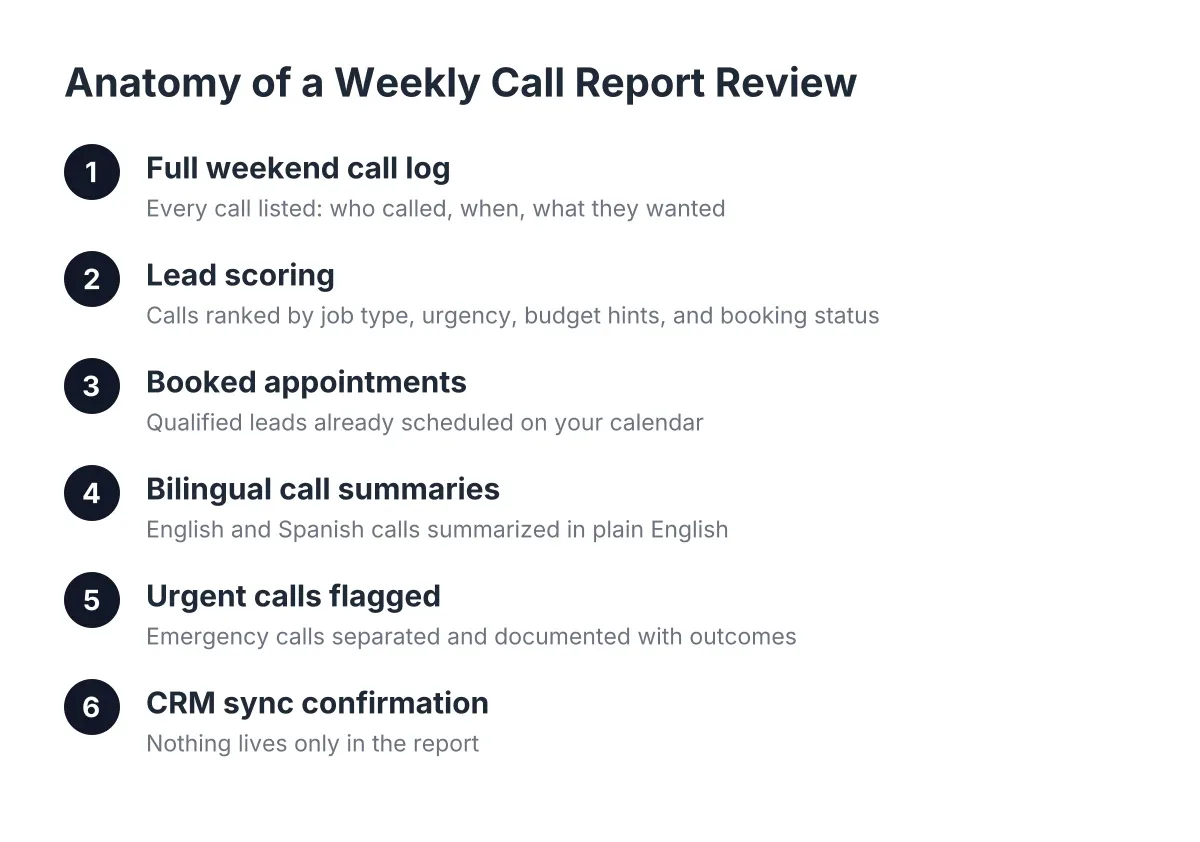
For non-transfer calls, the AI books the appointment or delivers the booking link by text while the caller is still on the line. The caller hangs up with a confirmed slot, not a promise that "someone will call you back." Meanwhile the lead, call summary, urgency score, and transcript sync to your CRM through webhooks, whether that is HubSpot, Zoho, or a Zapier connection into whatever you already run.
You wake up to a booked job, a scored lead, and a summary you can read in fifteen seconds from the truck. That is the entire flow. No mystery, no black box.
Voice Quality, Conversational Skill, and Why Caller Experience Matters
Owners always ask about voice quality first: will callers know it is AI? Modern voices are natural enough that most callers stop thinking about it within one exchange, and awareness is already widespread. According to Five9, 84% of consumers know that some companies use AI to handle customer service interactions. Your callers have talked to AI before. What they have not forgiven is being handled badly.
The real quality question is conversational, not acoustic. Watch for these on any demo call:
- Interruption handling. Panicked callers talk over the greeting. The AI has to stop, listen, and pick up the thread instead of finishing its script.
- Repair. If the AI mishears "Leander" as "Leandra," it should confirm and correct without a loop of "I'm sorry, I didn't get that."
- Context memory. If the caller gave the address in sentence two, the AI should not ask for it again in sentence nine.
- Knowing its limits. When a caller asks something outside its lane, like a firm quote on a slab leak, the AI should say a licensed tech will confirm pricing on site, not improvise a number.
That last point is a genuine limitation worth stating plainly. An AI receptionist qualifies and books; it does not diagnose a slab leak, quote a panel replacement, or make a judgment call that requires a licensed professional's eyes on the problem. Anyone who tells you otherwise is selling you a liability.
Is There a Free AI Answering Service Worth Using?
Yes, free AI answering services exist, but read the fine print on what "free" covers. Most free tiers are demos or app-based tools: a free AI answering app for iPhone or Android that screens your personal line, or a no-code builder that hands you a generic voice agent to configure yourself. They prove the concept. They rarely survive a real emergency line.
Here is the practical difference. A generic AI answering service built from a template does not know that a "no-cool" call in an Austin heat wave is a same-day emergency for a household with kids, or that a hail storm in Round Rock means your roofing line is about to take 40 calls in three hours. It has no triage rules, no live transfer path, no CRM sync, and usually a hard cap on minutes that runs out mid-season.
Free tools are a fine way to hear the voice quality and decide whether AI answering feels credible to you. Use them for that. But when the call on the line is a $3,000 emergency job with follow-on restoration work behind it, the free tier is the wrong place to find out about the minute cap.
What Separates an AI Answering Service Demo From a Working Emergency Line
The gap between a demo and a production emergency line comes down to configuration depth. A demo shows you a voice; a working system encodes your business. In practice, that means four layers a generic tool skips:
- Trade-specific triage. Your definition of an emergency, written into the call logic. A pest control company's midnight emergency (wasps in a bedroom) is not a lawn care company's, and neither matches a plumber's.
- Local knowledge. Street names, service area boundaries from Georgetown down to south Austin, and seasonal patterns. February freeze weeks and August no-cool spikes are not edge cases here; they are the calendar.
- Recurring-customer capture. For seasonal businesses like lawn care, HVAC maintenance, or quarterly pest control, the AI should ask whether the caller wants one-time or recurring service. A recurring customer is a lifetime-value multiplier, and the question costs ten seconds on the call.
- Escalation paths that fail safely. Live transfer for true emergencies, immediate alerts when the on-call tech misses the bridge, and full lead capture as the floor under everything.
This is also why "local" is not a marketing word in this category. A system tuned by people who have sat through an Austin summer knows what a heat-wave call sounds like at hour three of a 95-degree afternoon. A national template does not.
AI vs Human Answering Service vs Hiring: The Honest Comparison
An AI virtual receptionist, a human answering service, and a full-time hire solve overlapping but different problems, and the right answer depends on your call volume and hours. A full-time receptionist gives you a human relationship but costs real money; the U.S. Bureau of Labor Statistics puts the median receptionist wage at $17.90 per hour, about $37,230 per year before benefits, and that person still sleeps at night. National human answering services cover 24/7 but bill per minute, read from generic scripts, and put an out-of-state operator between your Pflugerville caller and your calendar.
The AI option answers every call on the first ring, works after-hours and weekends without overtime, handles English and Spanish on the same call, and books directly instead of taking messages. What it does not do is replace the human relationship in your business. The best setups augment the people you have: the AI captures and qualifies, your team closes and builds the recurring relationship.
Worth noting: adopting AI has not meant cutting staff for the small businesses already using it. According to the National Federation of Independent Business, 98% of small employers using AI reported no change in employee headcount. The same NFIB survey found only 24% of small employers use AI tools at all, which means most of your competitors have not set this up yet. The first-ring advantage is still on the table in your zip code.
If you already run a full-time front desk that answers every call including nights, or you are a multi-location operation with an established answering service under contract, an AI receptionist is probably not your next move. This is a tool for the owner-operator and small crew, the businesses between $150K and $800K where the owner is the dispatcher and the dispatcher is on a ladder.
How to Test Any AI Receptionist Before You Trust It With a Paying Customer
Do not evaluate this category from a features page. Call the line and run your worst calls at it. Any provider confident in their system, including us, will tell you to try to stump it. Here is the test sequence we would run on our own product:
- The panic call. Talk fast, interrupt the greeting, give the address out of order. Does it stay calm and get the details anyway?
- The Spanish switch. Start in English, switch to Spanish mid-sentence. Does the call continue without a transfer or a stumble?
- The 2 a.m. triage. Describe active flooding and see whether it offers immediate transfer. Then describe a dripping faucet and confirm it books a routine slot instead of waking anyone up.
- The trap question. Ask for a firm price on a complex job. The right answer defers to a licensed tech; a made-up quote is a dealbreaker.
- The follow-through check. After the test call, look at what landed in the CRM or inbox. The summary, the urgency score, and the booking should all be there within minutes.
Whether you start with a free AI receptionist trial or a paid pilot, the test is the same, and a system built for Austin trades should pass all five before it ever touches a real emergency call. Run the sequence twice, once during business hours and once at night, because after-hours behavior is the whole point.
The technology is not the leap of faith it was even two years ago. As of 2026, the question is no longer whether AI can answer phone calls for a business. It is whether the specific system on your line knows the difference between a running toilet and a flooding garage in Cedar Park, and what to do about each one before the caller dials your competitor. Now you know exactly what that looks like from first ring to booked job. Judge any system, ours included, against that standard.
If you're losing revenue to missed calls, NeverMiss ATX can help.
Prefer to talk it through? Call (512) 980-9267 — a quick call is usually the fastest way to get a straight answer for your situation.